
How to Enhance a Low Quality Picture with AI
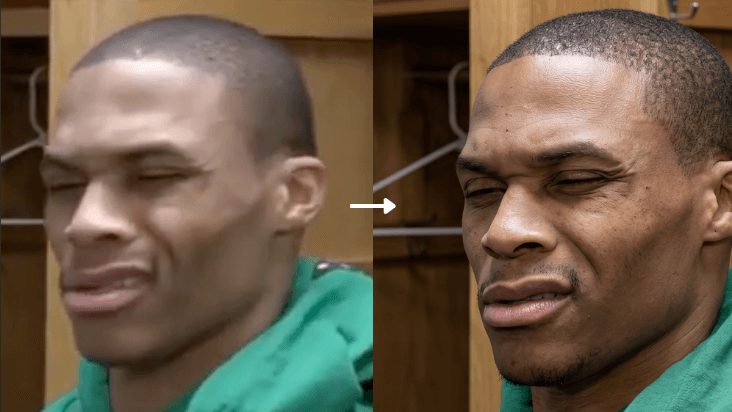
Got a blurry, pixelated, or low-resolution photo? Heyomi can turn it into a cinematic, ultra-HD image in seconds — while keeping everything about the original intact.
Here's exactly how to do it.
Step 1 — Open Heyomi
Go to Heyomi.ai and sign in to your account.
Step 2 — Select Edit Image Mode
Once you're inside, pick the Edit Image mode from the tools panel. Upload the photo you want to enhance.
Step 3 — Paste This Prompt
Copy the prompt below and paste it into the prompt field, then hit generate.
Upgrade the uploaded image into a pristine, ultra-high-definition cinematic
version while preserving the subject with absolute fidelity. The person's
identity, facial anatomy, expression, body posture, clothing, accessories,
environment, framing, and overall composition must remain completely unchanged.
Do not modify, reinterpret, replace, or introduce any new visual elements.
Reconstruct and refine micro-level details including precise facial contours,
authentic skin texture with naturally visible pores, individually defined hair
strands, sharp and lifelike eyes, and clean, well-resolved edges throughout
the image. Enhance dynamic range, contrast, and dimensional depth using
balanced, studio-quality cinematic lighting.
Step 4 — Get Your Result
Heyomi will process the image and return an enhanced version with:
- Crisp, ultra-high-definition detail
- Natural skin texture and realistic hair strands
- Improved lighting and depth
- The original subject completely preserved
That's it. No editing skills, no Photoshop — just one prompt.
Try it now → Heyomi.ai